JavaVCPU
Example programs
The repository includes editable source and generated bytes under examples/. Rebuild the byte listings from the project root:
powershell -ExecutionPolicy Bypass -File examples/build.ps1
The script strips # comments, converts two-digit hex to bytes, and enforces the one-page bare-metal and 61,200-byte DOS file limit. It is a hex converter, not a mnemonic assembler.
Bare metal
The default launcher always executes the disk boot flow. To experiment, temporarily replace DiskInstaller.boot(); inside Main.main() with:
byte[] program = java.nio.file.Files.readAllBytes(
        java.nio.file.Path.of("examples/bare-metal/ANSWER.bin"));
System.arraycopy(program, 0, Memory.getMemoryPage((byte) 0), 0, program.length);
REGISTERS[Registers.PAGE.address()] = 0;
REGISTERS[Registers.COUNTER.address()] = 0;
Build and run Main with JDK 26 from the project root. Device/disk initialization still runs, but BIOS and DOS are not executed. Change the path to select another example; restore the original boot call afterward. No runtime changes are included with these wiki sources.
| Source / binary | Behavior |
|---|---|
bare-metal/ANSWER.hex / ANSWER.bin |
6 times 7; prints 42 in host console |
bare-metal/COUNT.hex / COUNT.bin |
Prints 0 through 4, then halts |
bare-metal/PIXEL.hex / PIXEL.bin |
Clears screen, draws white pixel at (128,128), displays it |
bare-metal/MEMORY.hex / MEMORY.bin |
Writes 42 and a six-byte code tail to page 1, jumps there and prints 42 |
ANSWER’s complete bytecode is:
02 06 00  # STORE 6 A
02 07 01  # STORE 7 B
14 00 01 02  # MULTIPLY A B C
05 02     # OUTPUT C
04        # STOP
COUNT places its loop at byte 6 and STOP at byte 16. MEMORY demonstrates STORE_MEM_ON_PAGE and CHANGE_PAGE_JUMP, constructing its destination code before transferring control. These examples finish with CPU STOP; close the display window afterward.
DOS source and COM
Import the following through Workshop into an initialized disk, download it, install it while the VM is stopped, and restart with normal DOS boot code:
File under examples/dos/ |
DOS command | Result |
|---|---|---|
HELLO.JVS |
RUN HELLO.JVS |
Greeting, beep, prompt |
MATH.JVS |
RUN MATH.JVS |
42 then 0 |
COUNT.JVS |
RUN COUNT.JVS |
0 through 4 then DONE |
HI.COM |
RUN HI.COM |
HI, newline, prompt |
HELLO’s source is:
PRINT HELLO FROM JV-DOS
BEEP
END
EDIT HELLO.JVS opens it in the guest editor; Esc saves. The JVS programming page includes the complete math and counting listings. The COM programming page explains HI’s character calls and return ABI. Import HI.COM, not HI.hex.
Workshop’s Add sample files also provides a document, image and tune. See Tooling and Disk Workshop for the disk exchange workflow.
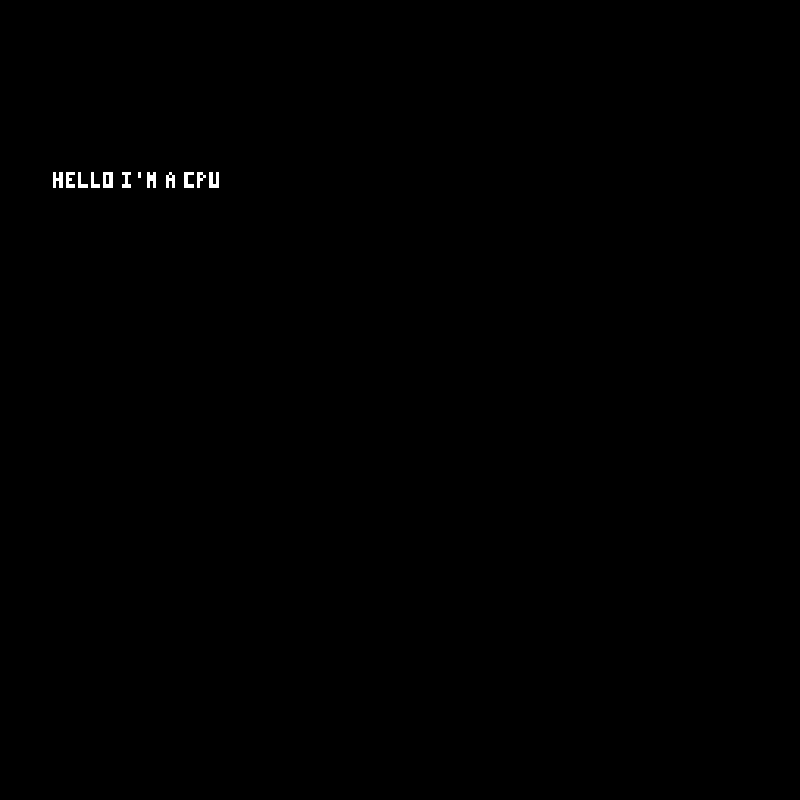
Built-in graphics demos
The Programs loader also includes these display examples. Select the corresponding Programs.Program with Programs.load(...) in place of the normal boot call when experimenting.
DISPLAY_HELLO_CPU |
SNOWFALL |
|---|---|
 |
 |
The complete screenshot gallery includes DOS execution, its editor and all media viewers.